The BALLDONTLIE API provides access to sports data across NBA, NFL, MLB, NHL, EPL, WNBA, NCAAF, and NCAAB. Whether you're building a betting model, a fantasy sports app, or just exploring sports analytics, this guide will get you up and running in minutes.
Who is this for?
This API is built for developers and hobbyists who want to:
- Build sports betting models and analytics tools
- Create fantasy sports applications
- Analyze player and team statistics
- Access real-time betting odds from major sportsbooks
Step 1: Create an Account
Head to app.balldontlie.io and create a free account. The free tier includes access to basic endpoints with generous rate limits.
Step 2: Get Your API Key
Once you're logged in, navigate to the Account Settings page. You'll find your API key in the API section:
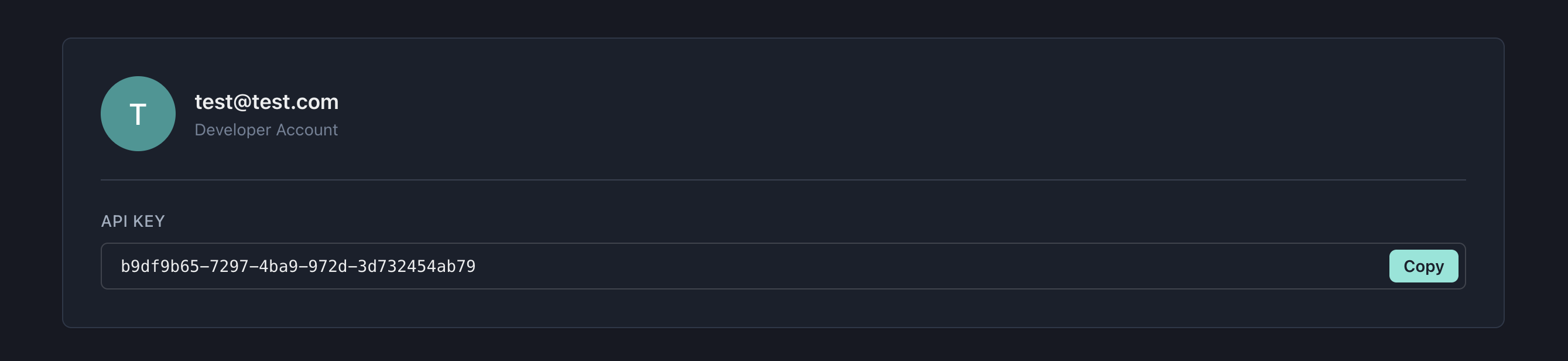
Copy this key and keep it secure. You'll use it to authenticate all your API requests.
Step 3: Fetch Today's Games
Let's fetch today's NBA games using Python. First, install the requests library if you haven't already:
pip install requests
Now create a simple script to fetch today's games:
import requests
from datetime import date

# Your API key
API_KEY = "your-api-key"
BASE_URL = "https://api.balldontlie.io"

# Set up headers with authentication
headers = {"Authorization": API_KEY}

# Get today's date
today = date.today().isoformat()

# Fetch today's NBA games
response = requests.get(
    f"{BASE_URL}/nba/v1/games",
    headers=headers,
    params={"dates[]": today}
)

# Print the results
data = response.json()
print(f"Found {len(data['data'])} games for {today}:\n")

for game in data["data"]:
    home = game["home_team"]
    away = game["visitor_team"]
    score = f"{game['visitor_team_score']}-{game['home_team_score']}"
    print(f"{away['abbreviation']} @ {home['abbreviation']}: {score} ({game['status']})")
Running this script produces output like:
Found 7 games for 2025-12-07:

ORL @ NYK: 100-106 (Final)
BOS @ TOR: 51-40 (2nd Qtr)
DEN @ CHA: 0-0 (2025-12-07T23:00:00Z)
POR @ MEM: 0-0 (2025-12-07T23:00:00Z)
GSW @ CHI: 0-0 (2025-12-08T00:00:00Z)
LAL @ PHI: 0-0 (2025-12-08T00:30:00Z)
OKC @ UTA: 0-0 (2025-12-08T01:00:00Z)
The API returns a JSON object with two main fields:
- data: An array of game objects
- meta: Pagination information
Each game object includes scores, quarter breakdowns, live game state, and nested team objects:
{
  "id": 18447166,
  "date": "2025-12-07",
  "season": 2025,
  "status": "Final",
  "period": 4,
  "time": "Final",
  "postseason": false,
  "home_team_score": 106,
  "visitor_team_score": 100,
  "datetime": "2025-12-07T17:00:00.000Z",
  "home_q1": 35,
  "home_q2": 19,
  "home_q3": 28,
  "home_q4": 24,
  "home_ot1": null,
  "home_ot2": null,
  "home_ot3": null,
  "home_timeouts_remaining": 3,
  "home_in_bonus": true,
  "visitor_q1": 31,
  "visitor_q2": 24,
  "visitor_q3": 18,
  "visitor_q4": 27,
  "visitor_ot1": null,
  "visitor_ot2": null,
  "visitor_ot3": null,
  "visitor_timeouts_remaining": 1,
  "visitor_in_bonus": true,
  "home_team": {
    "id": 20,
    "conference": "East",
    "division": "Atlantic",
    "city": "New York",
    "name": "Knicks",
    "full_name": "New York Knicks",
    "abbreviation": "NYK"
  },
  "visitor_team": {
    "id": 22,
    "conference": "East",
    "division": "Southeast",
    "city": "Orlando",
    "name": "Magic",
    "full_name": "Orlando Magic",
    "abbreviation": "ORL"
  }
}
The status field tells you the game state: scheduled time for upcoming games, "1st Qtr", "2nd Qtr", etc. for live games, or "Final" for completed games. For live games, you also get real-time data like timeouts remaining and bonus status.
Step 4: Get Player Stats for a Game
Now let's get individual player statistics for a specific game. We'll use the game ID from the previous response:
import requests

API_KEY = "your-api-key"
BASE_URL = "https://api.balldontlie.io"

headers = {"Authorization": API_KEY}

# Get player stats for a specific game
game_id = 18447166  # NYK vs ORL game
response = requests.get(
    f"{BASE_URL}/nba/v1/stats",
    headers=headers,
    params={"game_ids[]": game_id}
)

data = response.json()
print(f"Player stats for game {game_id}:\n")

# Sort by points and show top performers
players = sorted(data["data"], key=lambda x: x["pts"], reverse=True)
for stat in players[:5]:
    player = stat["player"]
    team = stat["team"]["abbreviation"]
    print(f"{player['first_name']} {player['last_name']} ({team}): "
          f"{stat['pts']} pts, {stat['reb']} reb, {stat['ast']} ast")
Output:
Player stats for game 18447166:

Jalen Brunson (NYK): 30 pts, 2 reb, 9 ast
OG Anunoby (NYK): 21 pts, 7 reb, 0 ast
Josh Hart (NYK): 17 pts, 12 reb, 1 ast
Jalen Suggs (ORL): 17 pts, 3 reb, 4 ast
Paolo Banchero (ORL): 16 pts, 1 reb, 2 ast
Each stat object in the response includes the player, team, game, and all standard box score statistics:
{
  "id": 1423894,
  "min": "35:28",
  "pts": 30,
  "reb": 2,
  "ast": 9,
  "stl": 1,
  "blk": 0,
  "fgm": 10,
  "fga": 19,
  "fg3m": 2,
  "fg3a": 6,
  "ftm": 8,
  "fta": 9,
  "oreb": 0,
  "dreb": 2,
  "turnover": 1,
  "pf": 2,
  "player": {
    "id": 666786,
    "first_name": "Jalen",
    "last_name": "Brunson",
    "position": "G",
    "jersey_number": "11"
  },
  "team": {
    "id": 20,
    "abbreviation": "NYK",
    "city": "New York",
    "name": "Knicks"
  },
  "game": {
    "id": 18447166,
    "date": "2025-12-07",
    "status": "Final"
  }
}
Available Endpoints
Beyond games and stats, the API offers many more endpoints for the NBA including standings, betting odds, player props, season averages, and advanced statistics. We also provide data for NFL, MLB, NHL, EPL, WNBA, NCAAF, and NCAAB.
Check the full API documentation for complete endpoint details across all leagues.
Next Steps
Now that you've made your first API requests, you're ready to build something more interesting:
- Speed up development: Learn how to let AI write your integration code using our OpenAPI specification with ChatGPT or Claude.
- Build a real tool: Check out our guide to comparing odds across sportsbooks to find betting value.
Need help? Join our Discord community or check the documentation.